
Dragon's Dogma 2 transmog — how to change equipment appearance
Follow the reported Reaching the Far Shore route, unlock Hal’s Tailor Equipment service and separate the official system from PC mods.
Applies to: Official Dark Arisen appearance system · complete compatibility and cost table unverified
Quick answer
Launch guides report that Dark Arisen’s official equipment-appearance system unlocks through Jiera’s Norgan side quest Reaching the Far Shore. The route continues through the Fimbl encounter to a Tailour-Crafte Treatise, which is delivered to Hal to open Tailor Equipment. Use the service to keep equipped-item function while choosing a supported look; exact slots, costs and compatibility still need a full current-build catalog.
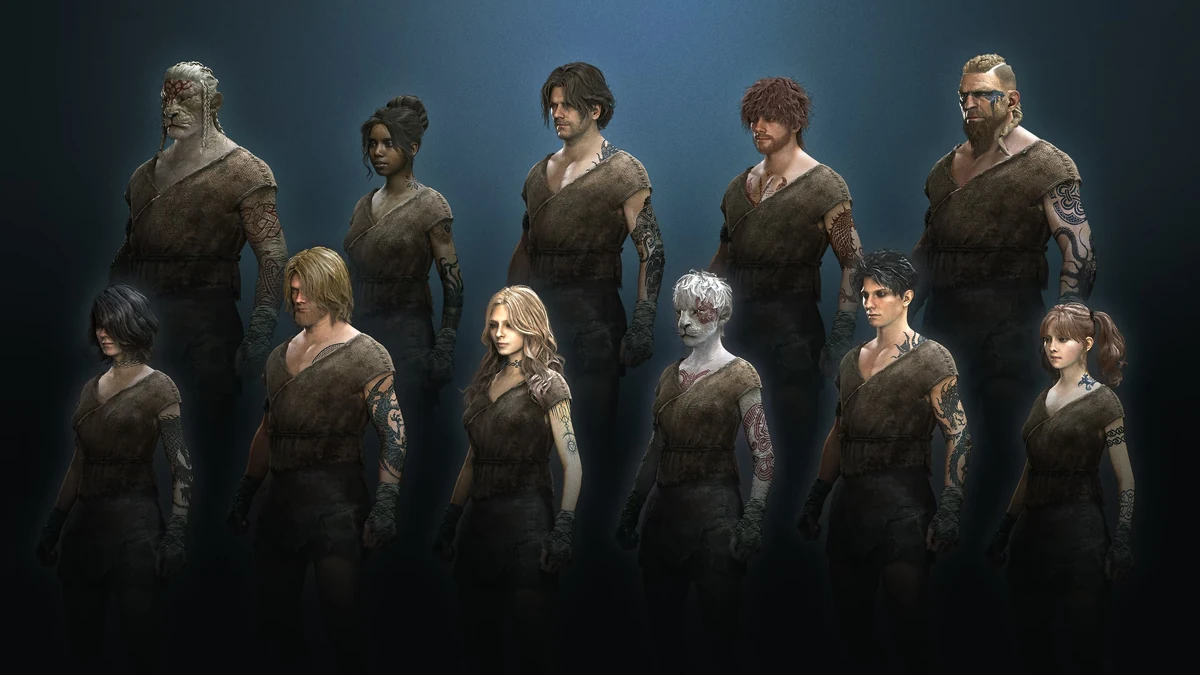
Current answer: Dark Arisen adds an official way to change equipment appearance while retaining the equipped item’s role. Launch guides report unlocking it through Jiera’s Norgan side quest Reaching the Far Shore, then using Hal’s Tailor Equipment service. The detailed unlock route below is third-party launch evidence, not a Capcom-published quest walkthrough.
Requirements
- Own and enable Dark Arisen.
- Reach Norgan and progress far enough for Jiera’s side quest to become available.
- Complete Reaching the Far Shore and deliver the Tailour-Crafte Treatise to Hal, according to the reviewed launch guide.
Reported unlock route
- Accept Reaching the Far Shore from Jiera in the Norgandian Settlement.
- Follow the quest to the mountain stronghold and weaken Fimbl until the encounter moves to Lake Norgan.
- Finish the lake encounter; the guide reports using shoreline ballistas.
- Rest for a day so the lake freezes, then reach Lakeside Grotto.
- Recover the Tailour-Crafte Treatise and give it to Hal to unlock Tailor Equipment.
Quest availability prerequisites, exact boss scripting and rest behavior still need a current-build replay. Follow the in-game objective if it differs from this October 2026 launch route.
Use the official appearance system
- Equip the item whose stats and vocation rules you want to keep.
- Open Hal’s Tailor Equipment service.
- Select a supported visual appearance the menu exposes.
- Preview both Arisen and Pawn carefully, confirm any displayed cost, then leave and re-open the equipment screen to verify the result.
Known boundary and unresolved limits
Official systemRequires Dark Arisen/Norgan progression and uses an in-game service.
CompatibilityThe complete slot, vocation, ownership and Norgan/base-game item rules are not yet independently catalogued.
CostsUse the value shown in-game; this guide does not publish an unverified cost table.
ModsOlder REFramework transmog mods are separate PC community tools and can break after patches.
If Jiera or the service is missing
- Confirm the expansion is installed and the Norgan questline is active.
- Advance the current Norgan objective, leave the settlement and return after an inn rest.
- Check the quest log for Reaching the Far Shore and follow its active marker.
- On PC, remove old appearance mods before testing the official service.
Sources
- Official Steam product page: current Dark Arisen product context; Checked October 15, 2026.
- AllThings.How transmog unlock guide: attributed Jiera/Fimbl/Treatise/Hal route; Checked October 15, 2026.
- Transmogify Nexus page: community mod workflow, used only to distinguish the older mod from the official system; Checked October 15, 2026.
Recheck after Capcom documents the feature or a title update changes the quest, supported slots or costs.
The official expansion context is separated from an attributed launch walkthrough for Jiera, Fimbl, the Treatise and Hal. Older Nexus transmog is labeled as a community mod.
Not independently play-tested. This is not a claim that every platform or game version was tested. Source review: Oct 15, 2026.
More Dragon's Dogma 2 Guides
 Dragon's Dogma 2
Dragon's Dogma 2 Norgan guide — routes, rests, and key locations
Enter the Forsaken Dominion, establish the settlement loop and plan spoiler-light expeditions without claiming an unverified complete map.
 Dragon's Dogma 2
Dragon's Dogma 2 Lost Rites guide — trial access and verified rewards
Start the 12-dungeon challenge line, understand its progression and see exactly which location and reward claims still require current-build verification.
 Dragon's Dogma 2
Dragon's Dogma 2 relic appraisal and expedition loop
Find unidentified Relics and Spoils in Norgan, appraise them with Jiera and decide when to return without inventing drop odds.
 Dragon's Dogma 2
Dragon's Dogma 2: Dark Arisen guide — content, access, and current version
Choose the right edition, reach Norgan, understand Lost Rites and relic appraisal, and separate the paid expansion from Hard Mode and free updates.
 Dragon's Dogma 2
Dragon's Dogma 2 Prey for the Pack — find and save Rodge
Start Morris’s timed quest in Checkpoint Rest Town, follow the Moonglow clues, find Rodge inside Putrid Cave and bring him home for the successful reward.
 Dragon's Dogma 2
Dragon's Dogma 2 editions and Dark Arisen buying guide
Compare the base game, legacy Deluxe Edition, standalone Dark Arisen expansion and current bundle without paying twice for content.