
Dressmaker Controls After Build 443: Zoom, Pan and Orbit, Mapped
The camera was rebuilt in the October patch and most guides still describe the old one. Here are the current bindings for every scene, the exact wording of what changed, and why gamepad and trackpad users are still waiting.
Applies to: Controls in the mannequin scene, cutting room, sewing scene and sizing room of Dressmaker, as changed by the official October patch notes for Build 443 published October 14, 2026
Quick answer
In the mannequin scene the camera changed completely in Build 443. Zoom is now smooth instead of stepped: hold Ctrl and scroll the mouse wheel. Pan by holding the right mouse button and dragging. Orbiting now has keyboard controls as well. In the cutting room you can drag to pan, or pan with the wheel while the scissors are selected. In the sizing room the mannequin gears adjust with the wheel or the arrow keys. In the sewing scene the on-screen strip reads Space to sew, A and D to rotate, W and S to change speed, and you can swap thread colour by clicking the spools. Gamepad and Steam Deck controls do not exist yet: the developer calls them a high priority but says it wants to finish the UX first.
At a glance
The mannequin camera is the part of Dressmaker that changed most in the October patch, and it is the part most existing guides still describe the old way. Three bindings matter, and all three arrived with Build 443 on October 14, 2026.
| Scene | Action | Binding | Basis |
|---|---|---|---|
| Mannequin | Zoom, smoothly | Hold Ctrl and scroll the mouse wheel | Patch notes, Build 443 |
| Mannequin | Pan the view | Hold the right mouse button and drag | Patch notes, Build 443 |
| Mannequin | Orbit the camera | Keyboard — the notes add this but do not name the keys | Patch notes, Build 443 |
| Mannequin | Rotate the mannequin while placing trim | Drag | Patch notes, Build 443 |
| Cutting room | Pan | Drag, or scroll while the scissors are selected | Patch notes, Build 443 |
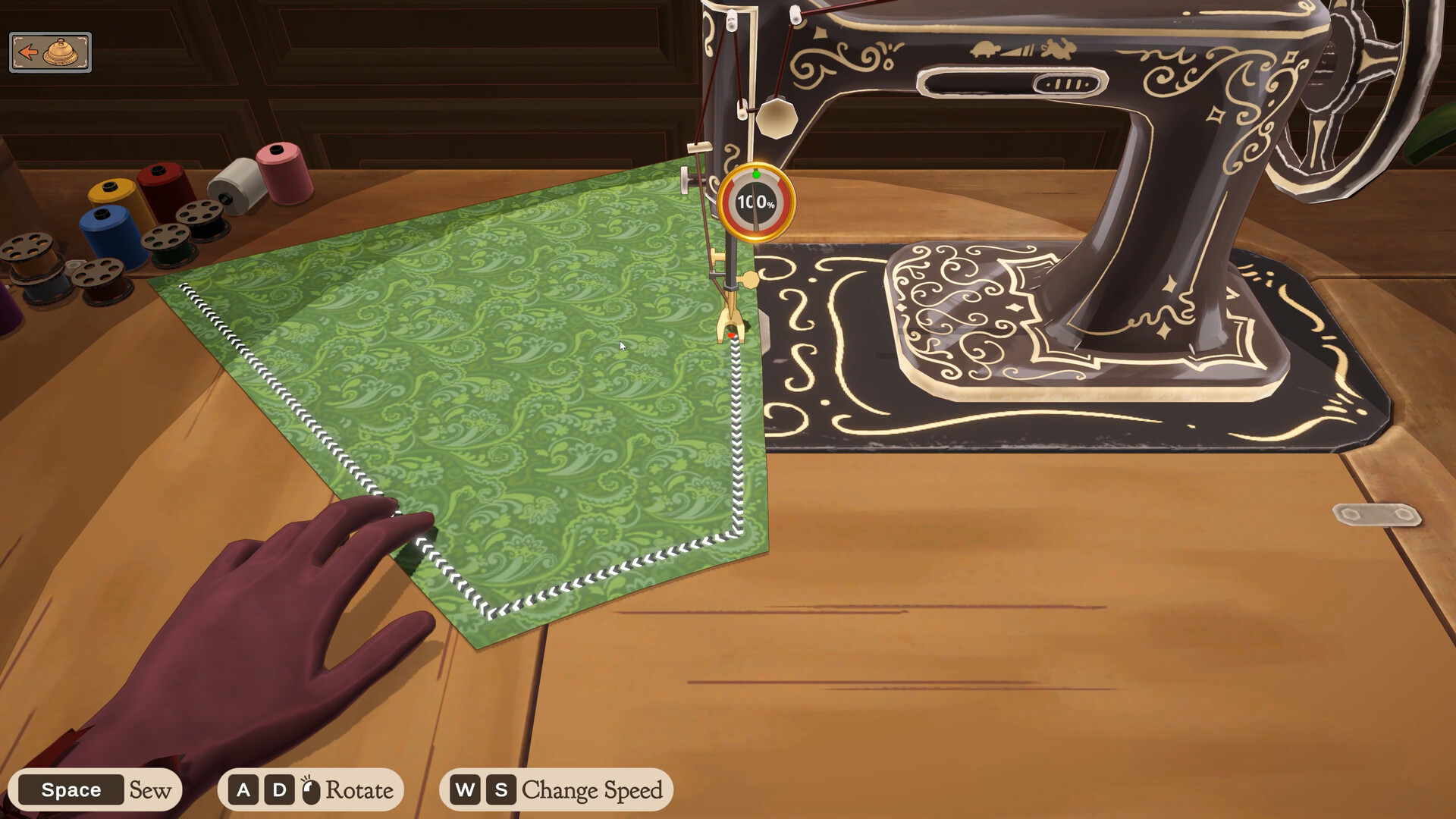
| Sewing scene | Sew / rotate / change speed | Space / A and D / W and S | On-screen strip, official screenshot |
| Sewing scene | Change thread colour | Click a spool | Patch notes, Build 410 |
| Sizing room | Adjust the mannequin gears | Mouse wheel or arrow keys | Patch notes, Build 443 |
| Any scene | Reduced motion | "Less Animation" option | Patch notes, Build 443 |
What Build 443 changed, in the developer's words
The camera section of the October patch notes is one paragraph, and it is worth reading in full because it explains both the new bindings and why they will not be the last ones:
— Cozy Lives, October Patch Notes – Build 443, published October 14, 2026
Two phrases in that paragraph carry more weight than the rest. The first is "WIP" — work in progress. The developer is telling you the current camera is an interim state, not a finished design. The second is "a more drastic rework", which is a warning that the bindings on this page may be replaced again rather than refined.
The notes also acknowledge the cost of the change directly, in the section above the camera paragraph, and it is unusually candid about why it happened:
That is the developer describing a specific problem: players had already adapted to the old camera, and the patch invalidated that adaptation on purpose. If the controls feel worse to you than they did before the patch, that is not a misremembering — the developer expected exactly that reaction and accepted it.
The mannequin scene: zoom, pan and orbit
Three separate actions now, where the old camera folded zoom and tilt together. Take them one at a time.
Zoom
Hold Ctrl and scroll the wheel. The distinguishing word in the notes is smooth: zoom is continuous rather than stepping through fixed distances, so small wheel movements produce small changes. If you are used to tapping a key and arriving at a preset distance, the new behaviour will feel imprecise until you adjust — a single wheel notch no longer moves you a whole step.
Pan
Hold the right mouse button and drag. This is a held gesture rather than a toggle, and it is the binding most likely to collide with something else you do with the right button, such as cancelling an action. Player posts on the Steam forum describe using right-click to interrupt a trim placement and then continuing from the last stitch, which is worth knowing before you decide the right button is "just" the camera — see the trim placement page for that workflow.
Orbit
The notes say keyboard orbiting was added and stop there. They do not name a key, and the store screenshots do not show the mannequin scene's control strip, so there is no first-party source for which keys orbit. Player threads on the Steam forum describe orbiting with the keyboard while the mouse is elsewhere, and third-party control pages list A and D. Neither is developer documentation, and this page does not present either as confirmed.
On a Mac
Dressmaker ships for macOS as well as Windows, and the notes say "holding control" without saying which modifier that means on a Mac keyboard. This page cannot resolve that from the developer's text. If the zoom gesture appears to do nothing on a Mac, try the other modifier before assuming the binding is broken — the ambiguity is in the source, not in your keyboard.
The cutting room
The cutting room got a smaller change and two fixes that matter more than the camera did:
That second half is the useful one. Panning with the wheel is only available while the scissors are selected, so a wheel that does nothing in the cutting room usually means nothing is selected rather than that panning is broken.
The wheel's job in this scene has now been redefined twice. A week before the big patch, Build 410 removed an unwanted behaviour: "Mouse wheel should no longer rotate panels in cutting room when mouse is over inventory." Read the two changes together and the wheel went from accidentally rotating a panel to deliberately panning the view — which is a reasonable design, but it does mean advice written in the first weeks after launch describes a wheel that did something else entirely.
The two fixes in the same scene are worth knowing because they describe problems players were actually hitting. The scissors could previously discard fabric on a stray click, and the notes apologise to a specific person for it:
Separately, leaving the cutting scene mid-animation could leave the tool unusable — "Fix being able to leave cutting scene during scissor animation, which can leave the scissors in a broken state". If you lost fabric or had a stuck tool before October 14, both of those are documented as fixed rather than as things you did wrong.
The same patch also added tooltips to the cutting room buttons, moved several buttons for clarity, added a button that grabs every panel piece at once, and fixed a white-out effect the notes call a "'flashbang' glitch". The full-panel button is the one people search for — it has its own section on the commission page, because a panel left behind in the cutting room is one of the reasons a dress will not submit.
The sewing scene
The sewing scene is the one place where the developer's own screenshot shows the bindings, so this is the most firmly sourced part of the page. The store screenshot of the machine has a strip along the bottom reading Space Sew, A D Rotate, W S Change Speed, and a circular percentage counter next to the needle.
| Element | What is shown or stated | Source |
|---|---|---|
| Sew | Space | On-screen strip, official screenshot |
| Rotate the fabric | A and D | On-screen strip, official screenshot |
| Sewing speed | W and S | On-screen strip, official screenshot |
| Thread colour | Click a spool | Patch notes, Build 410, September 24, 2026 |
| Reduced motion | "Less Animation" disables scrolling textures and zoom in this scene | Patch notes, Build 443 |
Thread colour is the one binding on this page with a dated origin of its own. It was added in Build 410, a week before the big patch: "You can now change the thread colour in the sewing scene (by clicking on the spools)". Before that build the spools were decoration. If a guide tells you thread colour is fixed once you start, it is describing the build from before September 24.
Build 443 lists a "minor change to sewing scene animation for UX" without describing the change, so this page does not describe it either. What the notes do spell out is the accessibility route out: the "Less Animation" option disables the scrolling textures and the zoom in both the sewing scene and the cutting room, which is the closest thing to an official answer for anyone who finds the motion uncomfortable.
The sizing room
One line, and it is the least ambiguous in the whole notes:
Two input methods for the same control, which is rare in this game's current state — most actions have one. The same patch also fixed an animation bug in the measuring scene that appeared at low frame rates ("Fix animation bug in measuring scene at low framerates"), so if sizing felt unreliable on weaker hardware before October, that is a documented cause rather than your imagination.
Trackpads and laptops: no official answer
This is the largest gap on this page, and it deserves to be stated plainly rather than filled in. The patch notes describe a mouse wheel, a right mouse button and keyboard orbiting. They contain no mention of a trackpad, no mention of a touchscreen, and no alternate scheme for hardware without a scroll wheel.
What the notes do provide is a workaround that does not depend on a mouse: keyboard orbiting. Since orbiting was added as a keyboard control, a player who cannot right-click-drag can still change the viewing angle — but not pan, because pan is right-button only, and not zoom, because zoom requires a wheel. Those are the two actions with no published alternative.
Gamepad and Steam Deck
Neither is supported yet, and both are on the record as a sequencing decision rather than a rejection. The October patch bundles three separate things into one sentence — rebinding every control, gamepad support, and Deck support — calls all three a high priority, and schedules none of them:
— Cozy Lives, "October Patch Notes - Build 443", October 14, 2026
The full sentence and what it separates are set out on the platforms page, which is where the controller question belongs. What matters here is narrower: the bindings on this page are the only scheme the game ships with, and they do not change on Deck because there is no Deck layout to change. Steam rates the game Playable rather than Verified, so it runs with a working default configuration while carrying known interface problems.
Why this page carries a version stamp
Every binding above is scoped to Build 443, published October 14, 2026, and the developer has already said the camera will change again. Two sentences from the patch notes make that explicit: "We are still not happy with the controls here and will be making more improvements in the future", and "We are considering a more drastic rework of camera controls".
The practical consequence is that this page can go stale in a way most guides do not. A guide to a finished game's controls stays correct; a guide to this game's controls is correct until the next patch. Two triggers would make the current text wrong: any change to the camera paragraph in a future patch note, and the arrival of controller rebinding, which the developer has said is planned but not scheduled. The review date at the top of the page is the date the sources were read, not a date on which the bindings were tested in a running build.
If a binding is not working
Before treating anything as a bug, three checks resolve most of the confusion reported on the Steam discussions:
- Read the on-screen strip. Build 443 added control hints to the bottom of the screen specifically because features were going unnoticed. If the strip shows nothing, you are in a scene with no active hints rather than in a build that lacks them.
- Check which scene you are in. The wheel does three different things depending on where you are: it zooms in the mannequin scene with Ctrl held, pans in the cutting room only while the scissors are selected, and adjusts gears in the sizing room. A wheel that "does not work" is usually a wheel in the wrong scene.
- Confirm your build. Every binding on this page post-dates Build 443. The developer's patch announcements name each build; if yours is older, the camera behaves the old way and no guide can make the new bindings appear.
Past that point the honest answer is that the controls are a work in progress by the developer's own description, and the published route for reporting an input problem is the support address rather than a forum thread:
- [email protected] — the support address listed in the game's own support field on Steam.
- Steam Discussions — Dressmaker — where players compare bindings. Useful for finding out whether others see the same thing; not a source of official answers.
One reason to expect slow movement on input issues: the developer has publicly described the team's size. In an announcement on October 1, 2026, it referred to having "only about 1.5 programmers". That is not an excuse offered on the developer's behalf here — it is the stated context for why a high-priority item can stay unimplemented across two patches.
Sources and review scope
- Cozy Lives — October Patch Notes, Build 443, published October 14, 2026 — the primary source for every camera, cutting room, sewing scene and sizing room binding on this page, including the smooth-zoom wording, the right-drag pan, the unnamed keyboard orbit, the drag-to-rotate while placing trim, the cutting room pan and the wheel-or-arrow-key gear adjustment.
- Cozy Lives — Build 410 announcement, September 24, 2026 — source for thread colour selection by clicking spools.
- Cozy Lives — launch announcement, "Out Now", September 21, 2026 — source for the Steam Deck performance statement and the intent to add proper controller support.
- Cozy Lives — announcement of October 1, 2026 — source for the team-size remark, "only about 1.5 programmers".
- Steam store listing — Dressmaker — source for the official screenshots whose on-screen control strip is quoted above. Checked October 19, 2026.
- Steam Deck compatibility report — app 4019220 — the source for the Playable rating named in the gamepad section, read October 19, 2026. The five individual check results behind that rating are set out on the platforms page rather than here.
- Steam store API — app details — used to read the store text and category list verbatim rather than as rendered, and to confirm the support address.
- Steam Discussions — Dressmaker — used only for player reports about orbiting and right-click behaviour during trim placement, and labelled as player reports where they appear.
Everything on this page that describes a binding comes from a developer document or from an on-screen element in an official screenshot. Two things are deliberately left open: which keys orbit the camera, because the patch notes add keyboard orbiting without naming the keys, and how any of this maps to a trackpad, because the developer has written nothing about trackpads. Both gaps are stated in the text rather than filled with a guess. No build of the game was played to produce this page, and no binding here has been tested by pressing the key.
Checked on October 19, 2026 against the Steam store listing and the Steam Web API for app 4019220, the developer's own Steam announcements, the official press kit at freelives.net and the itch.io prototype page. Patch notes are quoted verbatim rather than summarised, and each quotation carries the build number and the date it was published. Player reports come from public Steam discussion threads and are labelled as player reports wherever they appear; they are never presented as developer statements, and they are never used to fill a gap the developer left open. Where a detail has not been published, the page says so instead of estimating it. No part of this game was played to produce this page.
Not independently play-tested. This is not a claim that every platform or game version was tested. Source review: Oct 19, 2026.
More Dressmaker Guides
 Dressmaker
Dressmaker: Why the Finish Button Won't Appear on a Commission
A commission that will not submit is usually an unfinished step, not a bug. The five things to check in order, what Build 443 changed about the red pins, and which parts of this the developer has never explained.
 Dressmaker
Dressmaker Off-the-Rack Dresses: Unlock, Sizing and Gifting
Off-rack dresses have no client attached, and the developer has documented almost none of it. The five official lines, what measurements change, and what nobody has answered.
 Dressmaker
Dressmaker Quality and Grain: Three Scores, One Published Sentence
Grain direction, the Quality target and fabric tags are three separate scores. Only one is explained officially, and the ceiling turns out to be routine rather than rare.
 Dressmaker
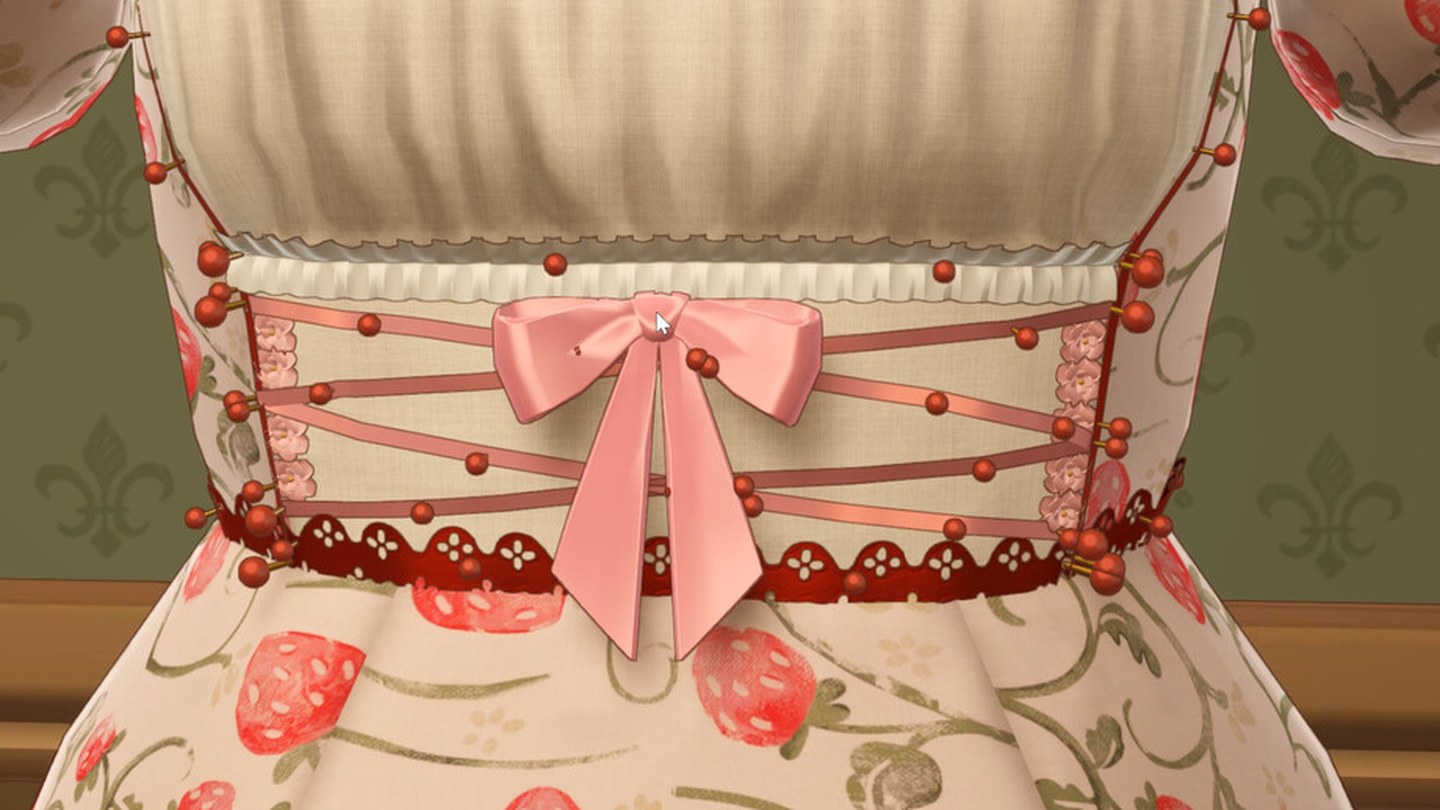
Placing Trim and Accessories in Dressmaker: What Build 443 Changed
Nine trim fixes in Build 443: fast placement, rotating the mannequin mid-placement, negative heights, end-node selection and a duplicate button. Cuffs are still hard, and the developer says so.
 Dressmaker
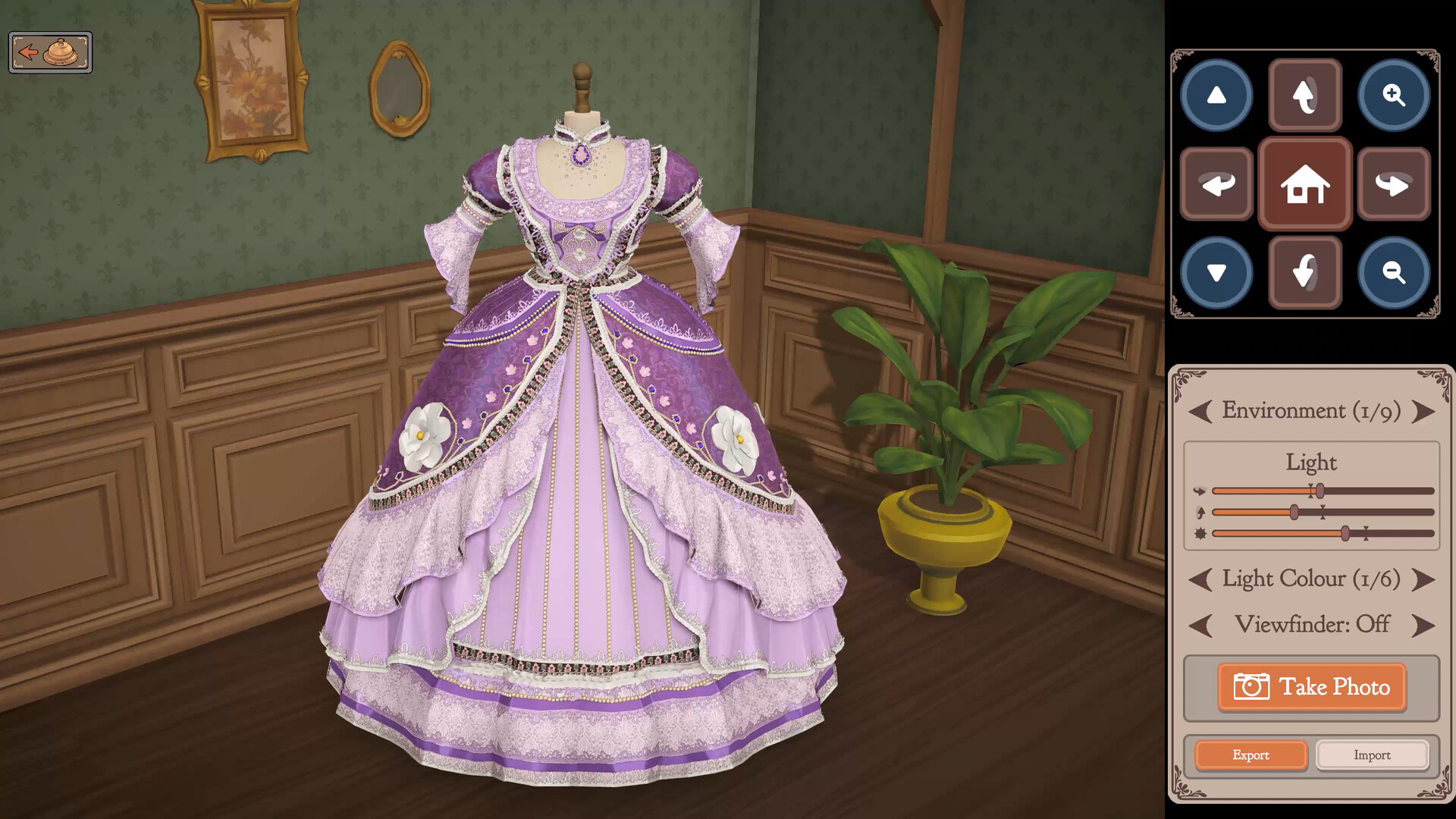
Dressmaker Platforms: Windows and macOS Now, Switch and Mobile Only Planned
Dressmaker ships on Windows and macOS. Switch and mobile are planned in the developer's own words but carry no date, PS5 and Xbox have never been announced, and Deck is Playable rather than Verified.
 Dressmaker
Dressmaker Price and Demo: $14.99, No Demo, and What the itch Build Is
Dressmaker costs $14.99 with regional pricing and has no demo. The free build on itch.io is a prototype the developer hosts separately from the game on sale, not a trial of it.